
A quiz your LMS can grade, or a game learners want to play.
Alma's learning engineers build each knowledge check from your question bank, or write one to your standard. It runs as an ordinary graded quiz, and any quiz can also be played as a game, with the same questions and the same score.
- Where it runs
- Any LTI-compliant LMS, or Alma's own
- Question types
- 10, from numbers to drag-and-drop
- Feedback
- Written for every answer
- As a game
- Same questions, same score
Ten ways to ask a question, and a reason behind every answer.
It runs as an ordinary graded quiz in your LMS or in Alma's own, and almost every part of it is a setting you choose.
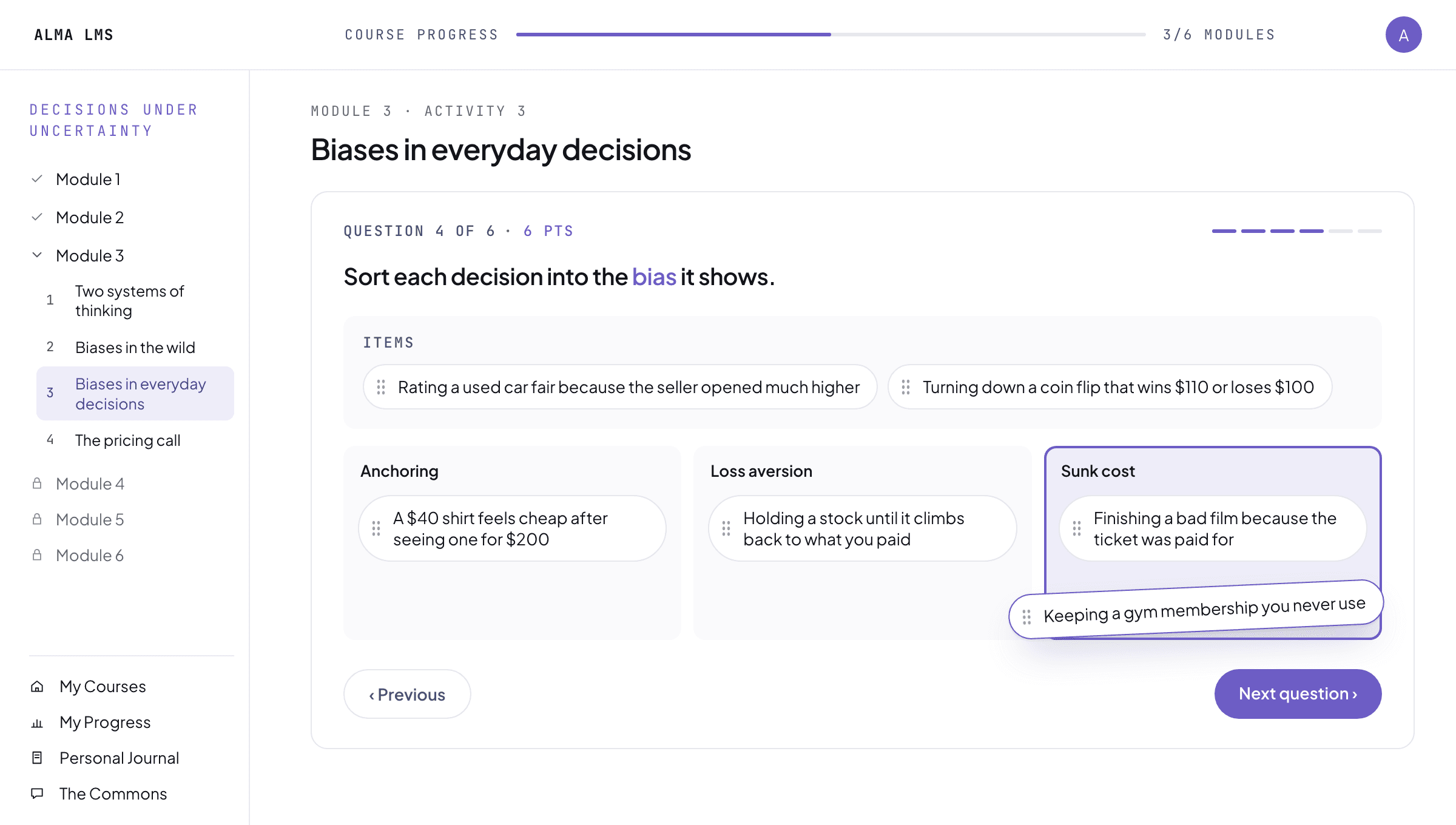
Ten ways to ask
From a single choice to drag-and-drop sorting, matching, numbers within a range, blanks in a sentence and open answers. The question takes the form the idea needs, not the one the tool allows.
A reason behind every answer
Each option carries its own explanation, so a learner who picks a wrong answer learns why it is wrong, and one who guesses right learns why it is right.
Set up the way you grade
Partial credit, a pass mark, one attempt or unlimited, practice or graded, answers shown or kept back. Every part of it is a setting you choose, and the score goes to the gradebook.
Any quiz can become a game.
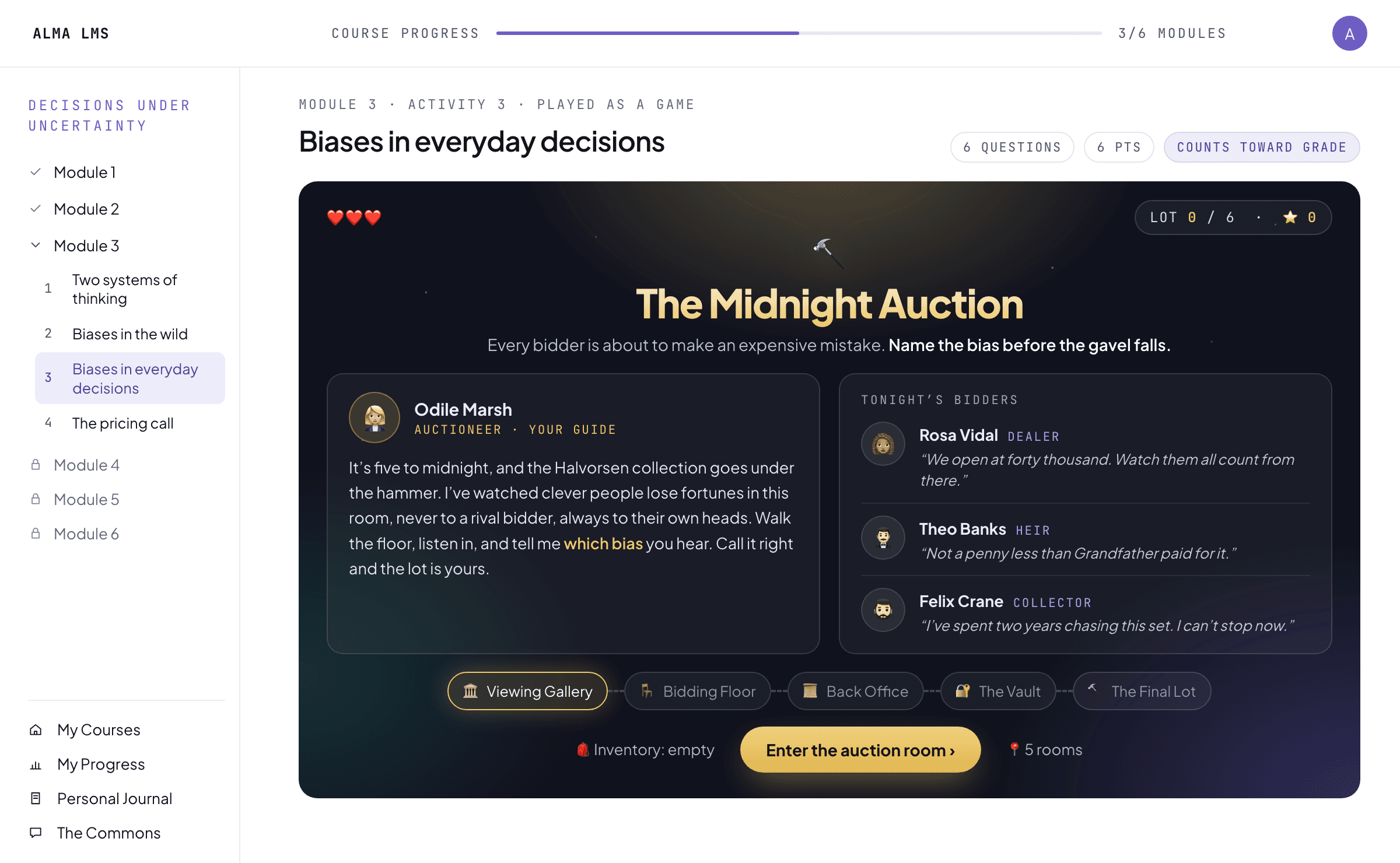
The same questions, played with characters, settings and gameplay made for your course. It is still the quiz, so it still counts.
Characters and a world
Each game is themed to what the course teaches, with its own characters, settings and gameplay. In a game about biases, every bidder at the auction is one.
The same questions, the same score
The questions, the explanations, the points and the attempts carry over from the quiz unchanged. Only the way it is played is new.
Launches like any assignment
It opens inside the course like any other activity, as a graded assignment worth the same points as the quiz it came from.
You decide which checks count toward the grade and how many attempts each allows.
Practice or graded, check by check
A check can count toward the grade or be practice only, as a quiz or as a game, and the choice is yours.
Attempts and a pass mark
You set the number of attempts for each check, the score that counts as a pass, and whether correct answers are shown afterward.
Open to review first
Your faculty, experts, or learning designers can read each question, and the explanation written for each answer option, before anyone takes the check.
A check can open a topic, or close it.
It can find the starting point, turn a review into a game, or show what stuck. Three examples, with the check in a different place each time.
To find the starting point
- Knowledge check
- Interactive lecture
- Practice conversation
- Scored simulation
A short check shows what the learner already knows, and the lecture fills the gap. They try it in a practice conversation before a simulation that counts.
To review before a big task
- Reading
- Learning game
- Discussion
- Assignment
After the reading, the learner plays the check as a game to see what stuck. The discussion and the assignment then put the ideas to work.
To see what stuck
- Interactive lecture
- Reading
- Knowledge check
- Reflection
The lecture and the reading teach the idea, and the knowledge check shows what stuck. The learner then puts it in their own words.
Other ways to see progress.
Scored simulations
When the work to grade is a live conversation, scored against a rubric.
See scored simulationsAssignments, projects & capstones
When the learner should produce written work, get comments, and revise it.
See assignmentsGrading options
Who grades each piece of work, against which rubric, and where the score goes.
See grading optionsSee a knowledge check play inside an LMS.
Book a demo and bring a quiz you already use. We will talk through a knowledge check built from your own questions.