
You see who is at risk while there is still time to help.
Every course Alma builds shows the whole cohort and any one student's progress against the course's approved learning outcomes, during the term, not after final grades.
Students
Week 5 of 14
- On track
- At risk
- On track
- Watch
- At risk
- Comes with
- Every course Alma builds
- Measured against
- Your approved learning outcomes
- Updated
- As students work, all term
- Who sees it
- Your faculty and staff
Look at the course from every angle, while it runs.
By cohort, by student, by learning outcome and by activity, down to video lectures and the issues the AI flags. Here are five of the questions it answers.
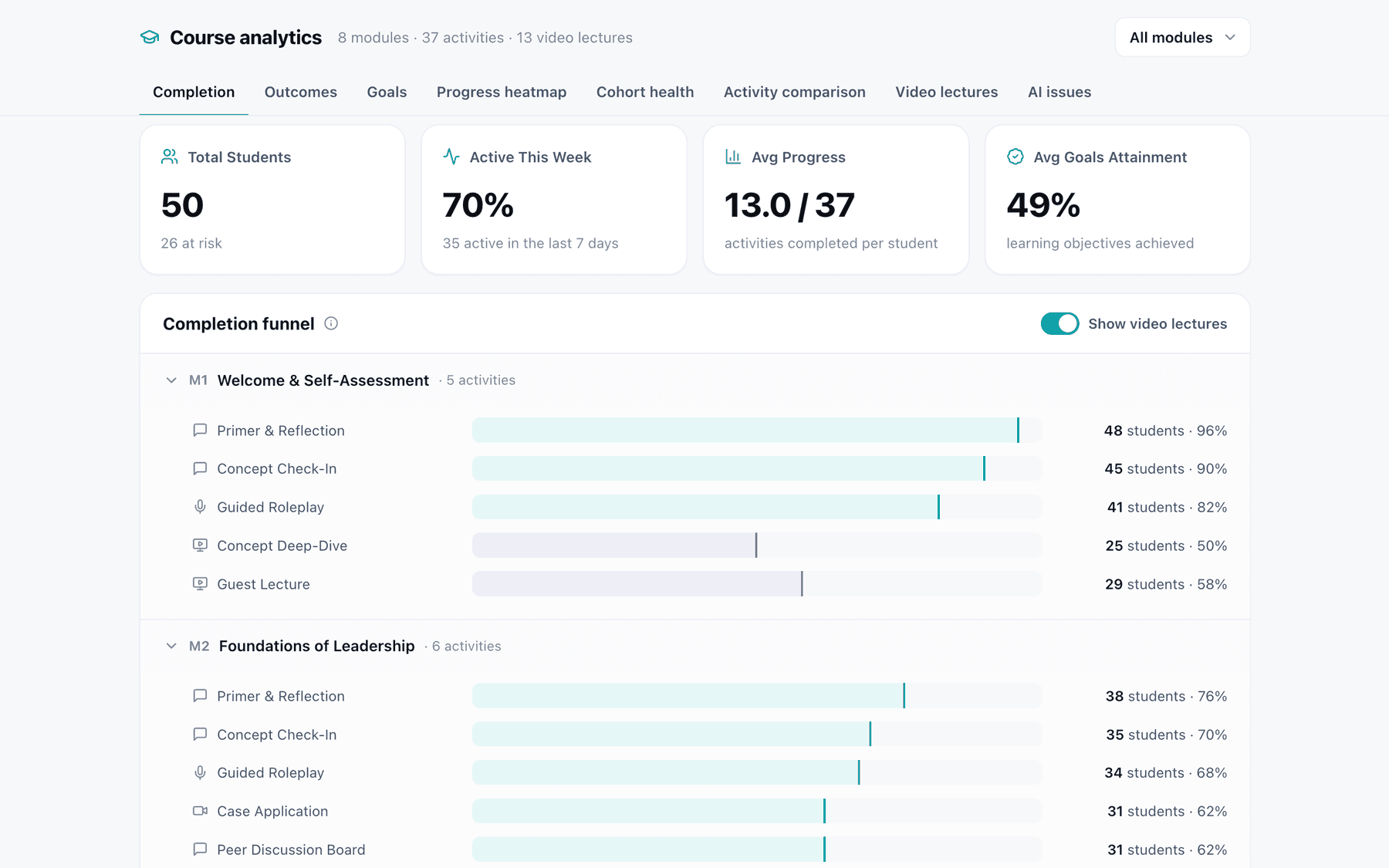
Who has been active this week
The whole cohort at a glance, and how far each module's activities have been completed.
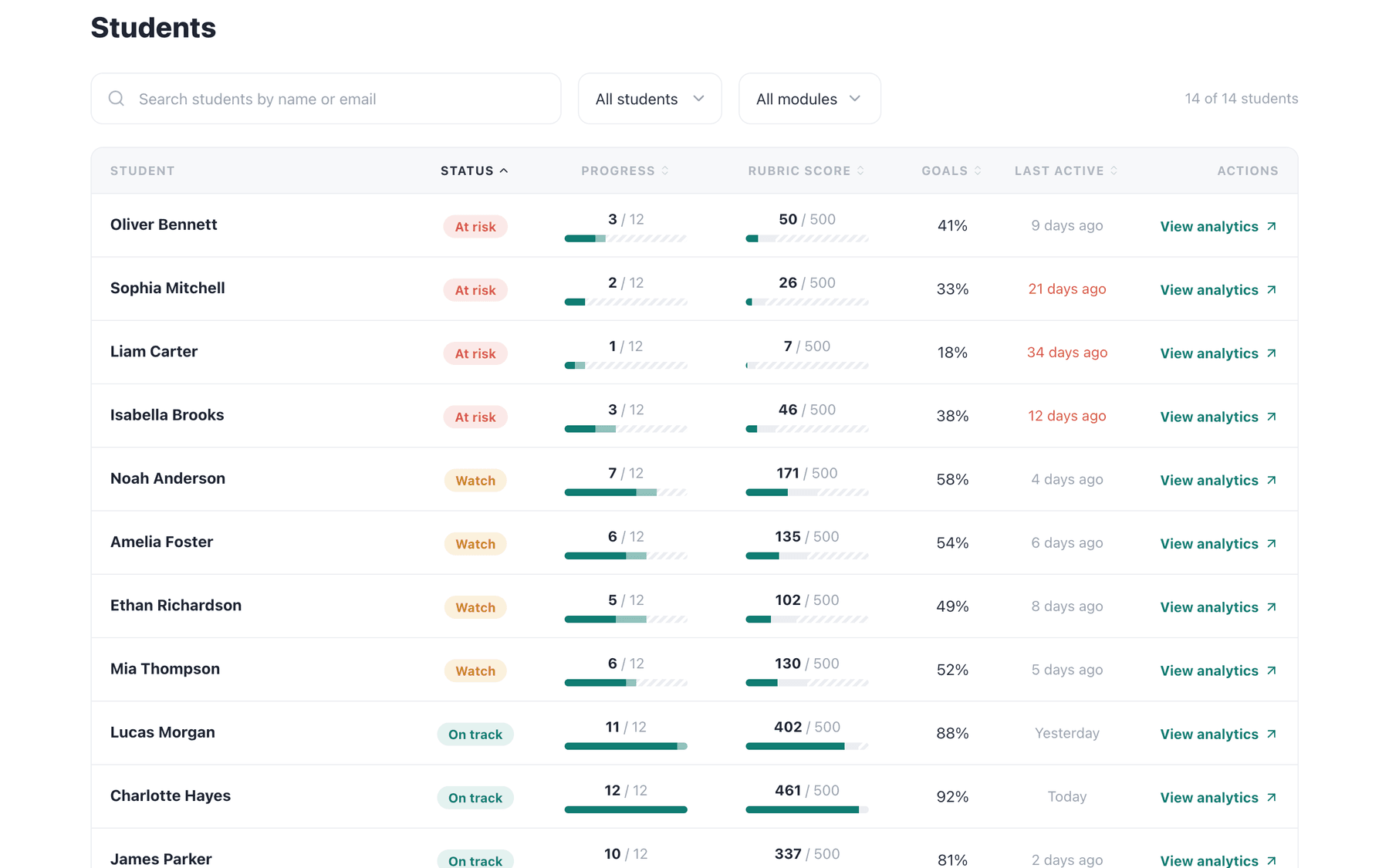
Who is flagged at risk
A list, so someone can step in during the term. It does not promise better retention: it gives your faculty and student services time, and stepping in is their work.
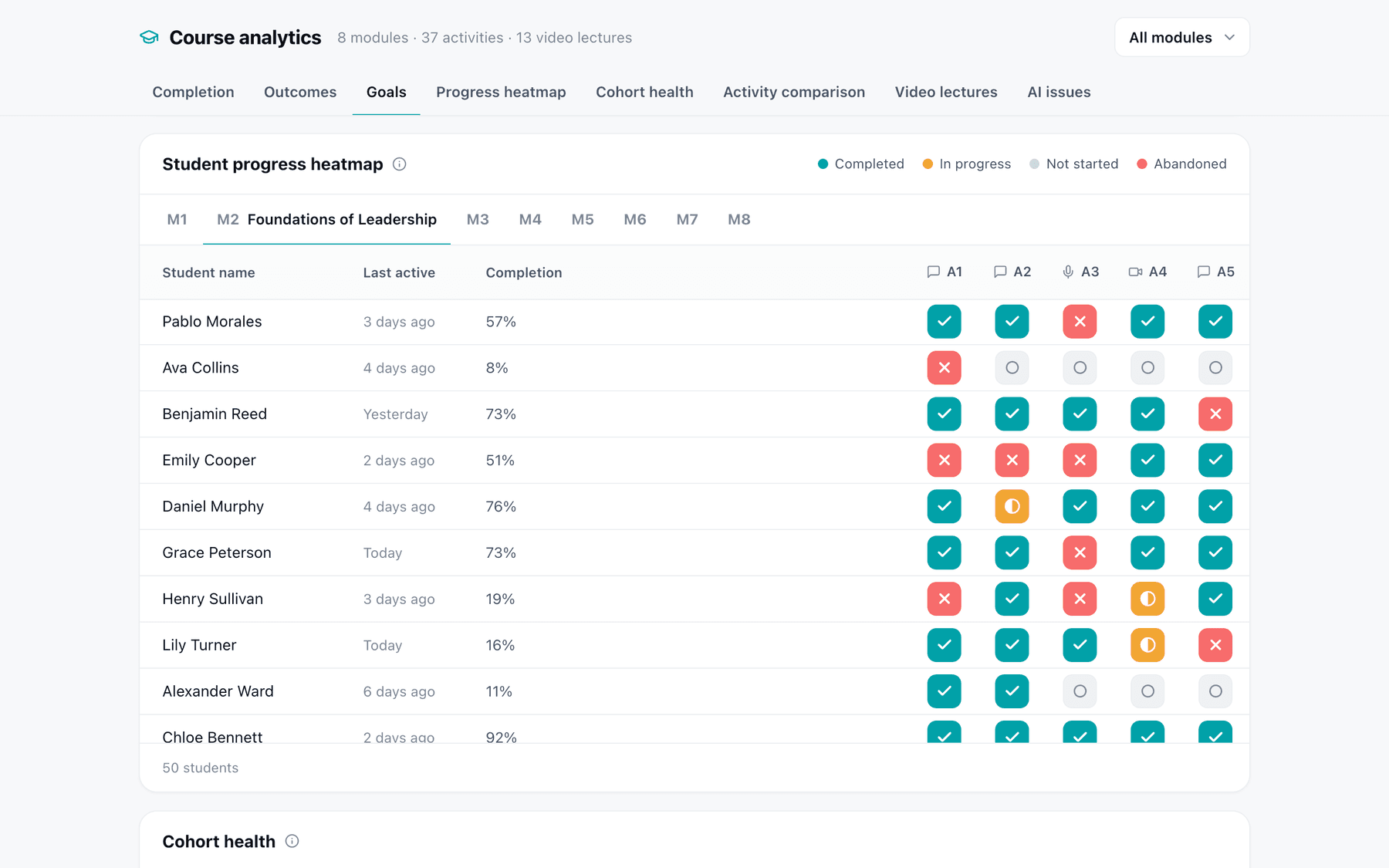
Where in the course students stop
Module by module, which activities each student has completed, is partway through, or has abandoned.
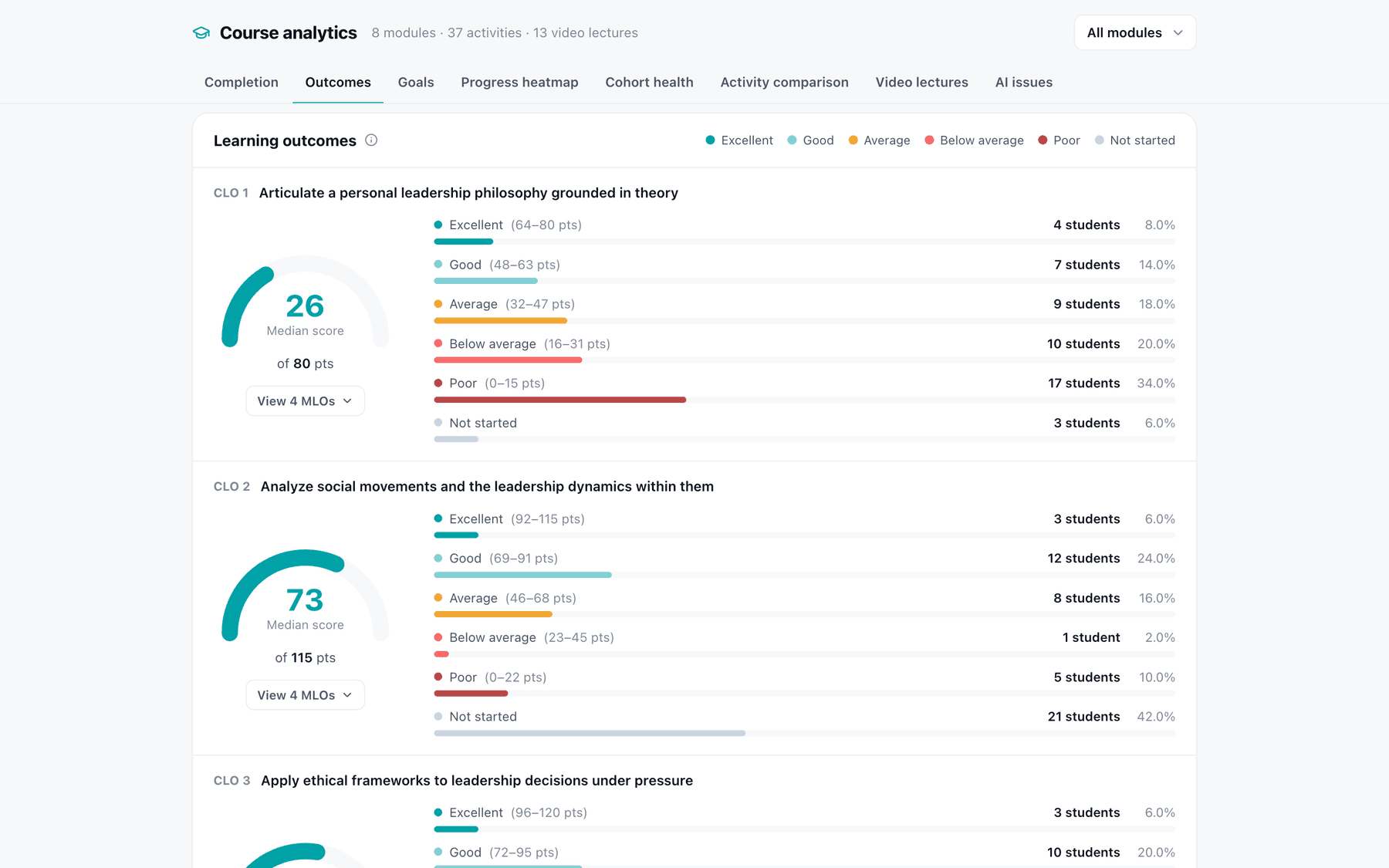
Attainment by learning outcome
How the cohort is spread across each learning outcome approved for the course, from excellent to not started.
Any one student's progress
Faculty and student services can open it before they talk to the student. Only your own staff and the few Alma people building your course can see students' work, and it is never used to train a model.
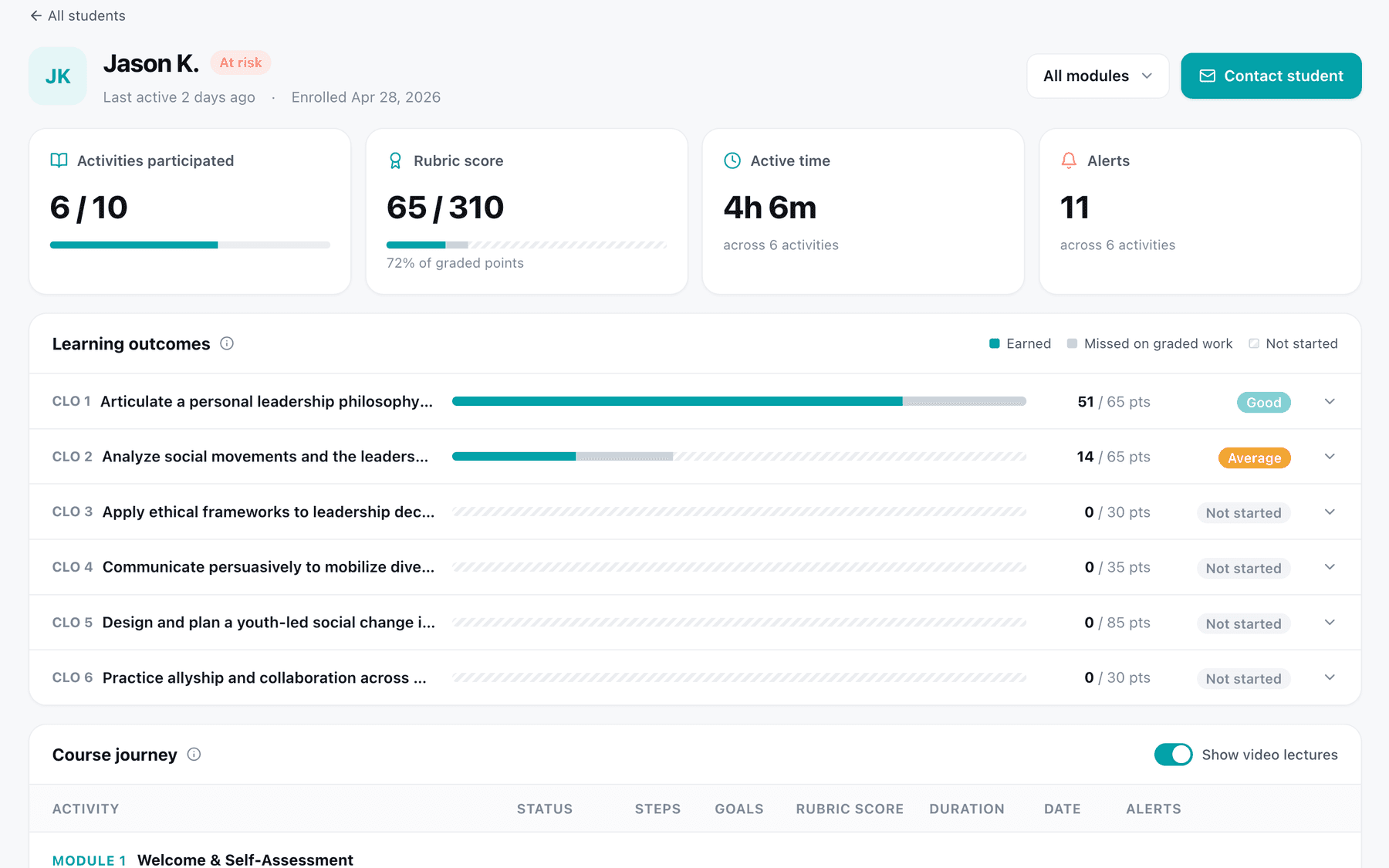
Every activity is tied to a learning outcome when the course is designed.
Most of what a program learns about a cohort arrives with final grades, when nobody can act on it. Here the record builds up week by week, because your faculty and learning designers approve the link between each activity and an outcome before anything is produced.
It says which outcome a cohort is behind on
What students do in each activity counts toward the outcome that activity was built for.
It says where students stop
Each activity has a place in the sequence, so a drop in activity points to one module and one activity in it.
It shows where to look when you revise
A revision to a course Alma built takes days, and your faculty approve it before students see it.
The analytics come with the course. There is no separate project.
Learning analytics are part of every course Alma builds, and of the activities we add to a course you already run. They cover those courses: if you want one analytics system across every course at the institution, we are the wrong choice. See the full process →
Step 1
Your faculty approve the design
Alma's learning engineers
We map each activity to one of the learning outcomes already approved for the course.
Your people
Before the build
Your faculty and learning designers approve that map before anything is produced.
Step 2
Students take the course
Alma's learning engineers
As students work, the cohort view and each student's progress fill in, week by week.
Your people
During the term
Your faculty and student services read them during the term and decide who to reach out to.
Step 3
You decide what to change
Alma's learning engineers
We show where students stopped and which outcomes the cohort was behind on. A revision takes days.
Your people
After the term
Your faculty decide what goes into the next revision, and approve it before students see it.
From one flag in week 5 to a better module.
Week 5
The program manager opens the cohort
Most students were active this week. A short list is flagged at risk, and work drops off at a case study in module 3.
Week 5
Then checks attainment by outcome
The cohort is on track for most outcomes, and behind on the one that case study was built for.
Week 6
The instructor opens one flagged student
The student finished the lecture and the reading, then stopped before the spoken practice. The instructor and student services know where to start.
After the term
Faculty revise the module
The case study is the first thing they look at, and the revision takes days.
Where the scores come from, and how the data is handled .
Security
Where your material and your students' work are held, who can see them, and for how long.
See securityCourse refresh & redesign
When the course is already online and you want practice and analytics added.
See adding AIBlended & faculty-led courses
When an instructor teaches live and wants to see the class before each session.
See faculty-led coursesGrading and feedback
How the scores behind attainment are produced, and who confirms them.
See gradingBring a course you want to follow during the term.
We build an example from your own material, at no cost, before you decide. Book a demo and we will walk through what your program managers, faculty, and student services would each see.