
A video lecture the learner can stop and question.
Your instructor or your expert teaches on screen. The learner can pause to ask a question, and the lecture can pause to ask one back. Beside it, an AI teaching assistant answers from the course.
- On screen
- Your instructors or your experts
- Questions
- Asked by the learner, or put to them
- Updates
- From the script, no reshoot
- Where it runs
- Any LTI-compliant LMS
It works like a live class.
A recorded lecture cannot be interrupted, and it never asks anything back, so attention drifts and questions go unasked. This one can be stopped, and it stops to ask.
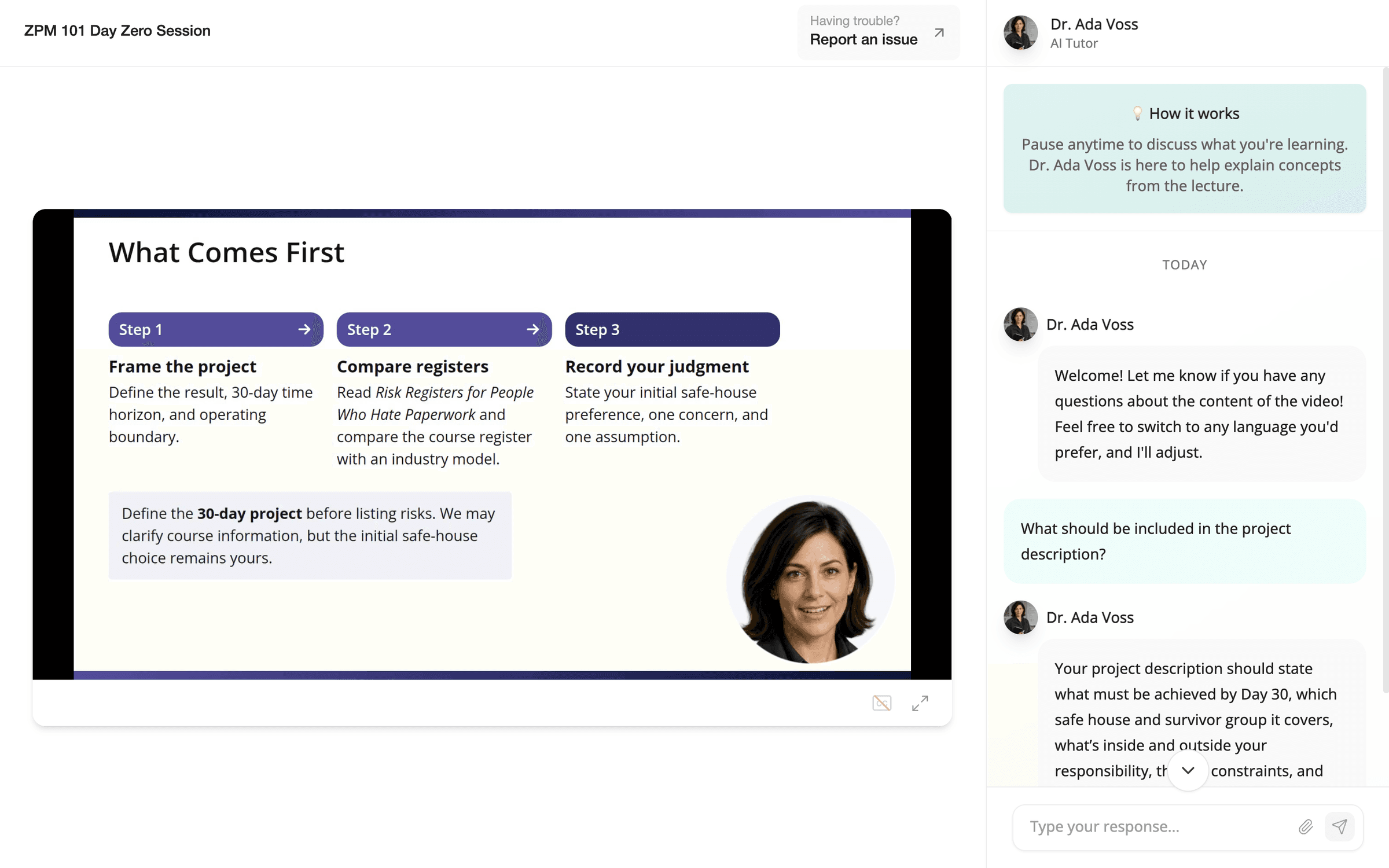
The learner stops it to ask
They pause at any moment and type a question. The answer comes from the course and refers to the slide they stopped on, so a question is answered when it comes up, not a week later or never.
It stops to ask the learner
At moments chosen in the design, the lecture pauses and puts a question to them, as an instructor calls on someone in a live session. Nobody can sit through it on autopilot.
The answer becomes a conversation
The AI teaching assistant replies to what the learner actually wrote, then asks one more question to check that the idea has landed. An exchange, not a quiz.
The lecture is in their own face and voice, and it changes from the script.
Their own face and voice
The lecture shows your instructors or your experts, in their own face and voice, with their written agreement. The script and the points where the lecture stops are open to their review before a learner sees them.
Updated from the script
Faculty or experts who choose to can record once. When the material changes, the lecture is updated from its script, without going back into the studio.
What they can see
They can open any learner's progress and see what the AI teaching assistant said.
A lecture can sit anywhere in a sequence.
It can open a topic, set up practice, or explain a case after the learner has worked through it. Three examples, with the lecture in a different place each time.
To understand a concept
- Interactive lecture
- Reading
- Knowledge check
- Reflection
The lecture introduces the idea and the reading goes deeper. The knowledge check shows what stuck, and the learner then puts it in their own words.
To build a skill
- Knowledge check
- Interactive lecture
- Practice conversation
- Scored simulation
A short check finds what the learner already knows, and the lecture fills the gap. They try it in a practice conversation before a simulation that counts.
To learn from a case
- Dramatized case
- Discussion
- Interactive lecture
- Assignment
The learner meets the situation first and argues it out with others. The lecture then names the idea behind it, and the assignment puts it to use.
What pairs well with a lecture.
Knowledge checks & learning games
The quick check before or after a lecture. It can play as a game.
See knowledge checksPractice conversations & simulations
Where the learner tries what the lecture taught, out loud, with an AI character who pushes back.
See practice conversationsDramatized cases
The scene a lecture can explain after the fact.
See dramatized casesBring one lecture you already give.
Book a demo and bring a slide deck or a recording. We build an example from your own material, at no cost, before you decide.